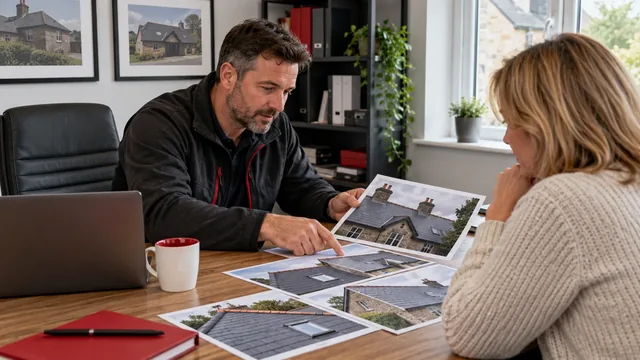

Roofing is visual work. A clear photograph of a repaired valley or a finished tiled roof can explain your capabilities more naturally than a long introduction. Yet those same photographs can make a website cumbersome when nobody plans how they will be delivered. The useful question is how to preserve the evidence while helping visitors reach it comfortably. Image performance belongs in your content process, alongside choosing the project and writing its description. You do not need to become a developer to give a designer a much better brief.
Give every photograph a clear purpose
Begin by deciding what the visitor should learn from each image. A close view of flashing might explain the work described on a repair page. A wider shot might show how a replacement complements the property. If two photographs communicate the same thing, choose the stronger one. This reduces clutter and gives the remaining images more attention. Keep your complete project archive separately, where you can find it when preparing a quotation or discussing a similar job. The public page needs a considered selection rather than every available angle.
Write a short note beside each selected photograph explaining why it belongs. This helps your designer distinguish essential evidence from decoration. It also prevents a large image being used merely to fill an empty space. Consider whether a caption can supply context that would otherwise require several additional pictures. A sequence showing a problem, an intermediate stage and a completed detail may communicate more effectively than a sprawling gallery. Only use photographs you have permission to publish and describe your involvement accurately.
Keep originals separate from website copies
Save original photographs in a clearly organised archive. Treat the files used on the website as prepared copies, because printing, cropping and future design work may need a different version. Useful file organisation might group photographs by project and roof type, with a note recording publication permission. Avoid relying on a messaging thread as your only storage system. Repeated forwarding can make it difficult to identify the best original or establish what you are allowed to show.
Ask your designer how large an image actually appears in each layout. A small project card and a full width introduction do not necessarily need the same delivered file. Sending the original photograph is useful during production, but it does not mean the original should be loaded by every visitor. Establish who prepares the website versions and who checks them. Without ownership, a carefully optimised launch can gradually become slower as new photographs are uploaded straight from a phone.
Balance detail and download size
Compression and resizing are separate decisions. Resizing changes the image dimensions; compression changes how the image information is stored. Ask for a sensible balance that preserves meaningful details such as tile edges and roof junctions. Inspect the result at the size customers will see, rather than zooming far beyond its intended display. A photograph that looks acceptably sharp on the page may not need a heavier file. Equally, avoid reducing quality until useful workmanship details become difficult to understand.
A practical review compares the prepared copy with the original on a phone and a larger screen. Look particularly at brickwork, slate texture and areas with strong contrast. Your developer can choose suitable formats and responsive delivery, allowing browsers to receive an appropriate image for the available space. Avoid prescribing one file size for every photograph regardless of its purpose. Agree an approach, check representative examples and document it so future additions follow the same standard consistently.
Decide which image matters first
The main photograph near the top of a page has a different job from a gallery picture much further down. Visitors may see it immediately, so its delivery should be considered during initial loading. Images that only become relevant after scrolling can be handled differently. The official web.dev guidance explains that lazy loading defers image requests until they approach the visible area, while warning against applying it to prominent images already visible when the page opens. Your developer should apply that distinction thoughtfully.
As the business owner, identify the most important visual on each key page instead of asking for technical settings everywhere. Tell your designer what the visitor must understand first. Sometimes the opening headline and contact route matter more than an enormous photograph. Sometimes a carefully chosen roof image provides helpful context immediately. Keep the decision connected to the page's purpose. A decorative slideshow may introduce extra complexity without making your service or the next step any clearer to a customer.
Stop the page moving while it loads
A page can feel awkward even when its photographs eventually appear. Text shifting downwards or a contact button moving as an image loads can interrupt reading and tapping. Ask your developer to reserve the correct space for images before they arrive. web.dev describes how image dimensions help browsers establish their aspect ratio and reserve space. This is a useful production requirement to include in your brief, especially for pages with several project photographs and prominent contact buttons.
Check the page as a visitor would experience it from the beginning. Watch whether headings, captions and buttons remain in place. Test a few different page types rather than assuming the homepage represents everything. A project gallery, service page and article may use different image layouts. If something jumps, record which page and where it happens. A short description or screen recording gives your developer a more actionable report than simply saying that the website feels unreliable or slow.
Review performance after content changes
Image planning should continue after launch. Agree a straightforward process for adding a project: choose the photographs, prepare suitable copies, write descriptions, check permissions and preview the result. Whoever updates the site needs instructions they can follow without guessing. If several people contribute content, use a shared checklist and a named reviewer. The goal is consistent care, rather than a complicated approval system that discourages anyone from keeping the website useful.
Review the customer journey alongside technical measurements. Can a visitor understand your service, view relevant work and contact the business without unnecessary waiting or confusion? Test using ordinary devices and realistic connections, and ask your developer to interpret performance tools in context. A higher score is useful only when the actual experience supports the customer. Galaxy Roofer Marketing can help plan a roofing website whose photographs demonstrate your work while keeping the path to an enquiry clear and manageable.
Technical reference: web.dev guidance on images and performance.
Explore how these ideas connect with your marketing.
Websites for roofing businesses ↗